Monday, July 28, 2014
HDHomeRun DLNA Streaming Options
Thursday, October 24, 2013
Accessing HDHomeRun Prime DLNA Stream via HTTP
If you want to use something like VLC Player or another network streaming app that has trouble accessing the channel list, you can do use the following URL format:
http://IPOFHDHOMERUN
E.g.
http://192.168.1.100:5004/auto/v50
would load channel 50.
Monday, September 16, 2013
Feature Contributor to Tech Blog Zatz Not Funny
- Slingbox 500 Review (September 2013)
- Boxee Floats with the Cloud (May 2013)
Before Boxee was purchased by Samsung - Google TV Two Years Later: Still Not Very Good (August 2012)
Wednesday, May 29, 2013
Speaking at SharePoint Saturday DC 2013
*** CUT HERE ***
If you are in the neighborhood and/or have signed up for tickets for SharePoint Saturday DC, come check out Cicely Behne and I present "SharePoint Under the Surface: Doing More with Out-of-the-Box Features" at SPSDC in Chevy Chase, MD on Saturday, June 8th, 2013.
Here is an summary of what we're going to talk about. Lots of demos. It's geared towards SharePoint newbies and budding power users and front-end developers:
Your client wants SharePoint, but not plain old SharePoint. They won’t let you hire a developer. You cannot deploy solutions to the server. We see this often while working for various government and commercial clients, and on the surface it looks like it will limit our ability to provide the solutions they need. However, there are many features of SharePoint right under the surface that are often overlooked. SharePoint can do a lot if you just know what's possible.
This session will discuss ways to create business solutions using SharePoint without complex programming or needing to deploy complied code solutions to the server. We will cover Functionality (Libraries & Lists, Metadata, Workflows, and Forms) and Visualization (List Views, Pages & Web Parts, Branding, and Reporting/Dynamic Content).
The audience for this session is anyone using SharePoint, in particular new users, content managers, and budding Power Users and Front End Developers in scenarios where they do not have access or control to fully customize the instance of SharePoint they are using. You will come out of this session with some out-of-the-box features and front end configurations that can be used to enhance your SharePoint sites.We hope to see you there!
Sunday, March 10, 2013
Chumby is dead. Long live Chumby!
![]() |
| The Chumby One, running Zurk's Offline Firmware. |
Sadly, while the devices sold okay over the years and even spawned versions from Sony and Best Buy, the company shut down in 2012. There are many of reasons for this. I even gave a eulogy of sorts for the Chumby company and outlined some of my own thoughts about what happened. Luckily, one of the
Then abruptly, though not surprisingly, the Chumby servers shut down recently. This seemed to be the beginning of the actual end of Chumby...but not so fast!
From www.chumby.com:
In January 2013, one of the volunteers initiated an effort to create a company to acquire all of the remaining assets of Chumby Industries for the purpose of maintaining the service. That company, "Blue Octy, LLC", completed the transaction in mid-February.They created a temporary stub service that will allow the following devices and apps to boot to a clock:
- chumby Classic, chumby One, chumby 8
- Insignia Infocast 3.5" and 8"
- Insignia Connected TV
- WOWbox 3.5" and 8"
- chumby Lite (Android)
- chumby for Sony Tablet S (Android)
Full text of the the Chumby announcement is available on Chumby.com. At this point there is no timeframe for when the full service will be back, but at least you can get a basic clock and even Pandora and other streaming services still seem to work as well.
Alternatively, and what I've decided to do with my Insignia Infocast 3.5" and Chumby One, is to run Zurk's Offline Firmware for Chumby. This runs off a USB stick to insert into the device and you can customize the widgets and settings using XML files as well as Zurk's very cool browser-based dashboard.
I am both anxious and excited to see what happens next. While I still expect my Chumbys to become expensive paperweights one day, I do not think that is going to happen just yet.
Chumby is dead. Long live Chumby!
Friday, August 31, 2012
Where has Joel been?
I started the Scrum for SharePoint article series back in March but it is still not complete. The last post on Joel Explains It All was about the sad demise of the Chumby company. Then some life changes occurred--nothing major, just life--and the end result was that the blog fell by the wayside, as these things often do.
That ends now. Thanks to one of my favorite tech bloggers, Dave Zatz, I got a guest spot on his blog Zatz Not Funny. Dave lent me his Logitech Revue box and I had a few things to say about our experience with Google TV: Google TV Two Years Later: Still Not Very Good
The Scrum for SharePoint series is going to be revived as well. I just can't get enough Scrum. :-)
Saturday, April 21, 2012
RIP Chumby
![]() |
| The Insignia Infocast 3.5 by Best Buy (similar to the Chumby One). |
It's hard to remember, but back in 2008, there was not much out there like the Chumby. The iPhone and Android operating systems were relatively new and still gaining traction. There were zero consumer grade tablets available on the market. Even with the iPhone and Android out there, they were geared towards phone devices. There were definitely no clock radio gadgets to compete with Chumby. So theoretically, the Chumby had a good chance to succeed.
The Chumby is not a tablet and it is not a phone or iPod-like device. It really has no equivalent out there in the world. It is first and foremost an internet clock radio. Think of your old Sony Dream Machine, add in the likes of Pandora and Shoutcast internet music and podcast services, and add the ability to change the clock face to one of hundreds of different options. That is a Chumby.
There are other things a Chumby can do, like display news feeds, Facebook, Twitter, internet web cams, and more. Yet at its core, the Chumby is a clock radio that can get live content from the internet.
![]() |
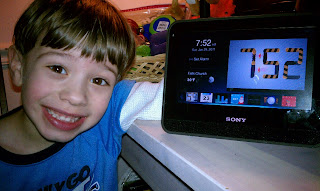
| My boys really enjoy the Sony Dash. We have it in our dining room. |
I got my first "Chumby" in 2010 when I picked up a Sony Dash for a relatively good price. However, even though I got a "deal" at the time, price was one of Chumby's downfalls: the Dash list price was $200 at the time--I think I got my for a "steep discount" at $150--and the Chumby-branded units were not much cheaper.
The Dash was a step up from the Chumby, as it had internet video as well. You could (and can still) get Netflix, YouTube and Hulu Plus video, among other choices. So it was worth a slight premium over the much smaller Chumby One (3.5" screen vs. 7" screen), but still a bit expensive for what you got.
![]() |
| We have installed the Insignia Infocast 3.5 in our master bathroom media station. |
Alas, regular prices didn't get much lower than $100, most people didn't understand why they needed one in addition to their iPhones and iPads, and therefore not many units were sold. In 2011 Sony stopped making the Dash. Around that time Best Buy also stopped making the Infocast line. Later in the year, Chumby itself stopped making hardware as well, leaving the Chumby platform flailing around a little bit without much support. The company said they were going to focus on a connected TV platform, but nothing much came of it.
Just the other day, Chumby announced that the whole team had moved on to new things at Technicolor and that there was no one left at Chumby to turn the lights off.
The Chumby network is still up and running--for now--but much like what happened to services like ReplayTV, it could be shut off at any time. This leads to one of my ongoing concerns with this particular platform: it is 100% dependent on having a network connection to work at all. Without a WiFi or optional Ethernet connection, a Chumby is essentially worthless. There isn't even a way to boot up a Chumby in to a disconnected mode. The thing just stops at the "Connecting to Network" screen and gives up.
(As an aside, there are some ways to run some Chumby devices offline. One example is: Zurk's Chumby One/Infocast 3.5 firmware and Zurk's Infocast/Chumby 8 firmware.)
Another issue was the app platform: all Chumby apps were free and had to be build on the Adobe Flash platform. While that worked well enough for the most part, there are two issues with it: no way for developers to make any money, and somewhat limiting of a platform. The Chumby is based on a modified Linux kernel, but won't run regular Linux or Android apps without major modifications. So it's a relatively closed platform.
I guess even back in 2008 we could see the writing on the wall, but I still had high hopes that a device dedicated to being an internet clock radio could survive. I still think there is a place for a Chumby-like device, with some tweaks to the platform. Using a phone or tablet as a stationary clock or radio is not always practical or economical. Sure, as an individual I can use my Android phone as an alarm or an iPad as a Pandora music player, but what about family or group situations? Sometimes a dedicated device is useful.
Maybe something else will come about to take Chumby's place? Or Chumby will get picked up by another company and the legacy will continue? I can only hope.
UPDATE: Chumby is dead. Long live Chumby!
Sunday, April 08, 2012
Scrum for SharePoint: Sprint 0
Before I get into the rest of the Scrum for SharePoint Article Backlog, I wanted to take a moment to talk about what happens at the beginning. It is always important to start things out right, and a Scrum-based SharePoint project is no different.
This is an example of being Agile, right? I am reordering the Article Backlog based on new priority from the Blog Owner (me) and working on the top priority item first, just like we would do in Scrum.
As with everything, how a projects starts will vary based on the project and your particular environment. "It depends." I want to document some ways of handling Scrum for SharePoint and see what sticks. In fact, I am looking for your experiences, good and bad, for different ways for starting up a Scrum project that is building out a SharePoint site, application, or an entire farm.
Many questions come up at the beginning of an Agile Scrum project. In particular: When are we going to have time to set everything up? Good question. If you start your first Sprint developing against the Product Backlog but don't have a development/test and/or production infrastructure in place yet, what do you do?
Scrum is designed to be iterative, which means you have a Product Backlog of functionality that needs to be built, which may change over time, but there is no set project plan. Each Sprint takes a piece of that Product Backlog and builds it out within a certain time box. I'll explain more in future posts. For now, just know that a Sprint is between 2-4 weeks and is focused on developing a certain set of features. The list of items in the backlog changes as priorities change, but once a Sprint starts the priorities for that Sprint are set.
It is possible to build time in to each Sprint to handle infrastructure changes and additions. Even for environments that already exist, you are going to need time to adjust them to fit the needs of the project and Product Backlog. In fact, much of the infrastructure work may be totally outside the Scrum process. Infrastructure, in my opinion, makes a lot more sense as a waterfall project. That said, the development team may still need to be part of the process and it might be too much to ask them to do a lot of infrastructure and development environment work alongside actual development. Which is why I think it's good to start out with something in place before any development begins at all.
If no infrastructure exists—say you are building a brand new SharePoint farm or planning to migrate content from an older version of SharePoint—then more work needs to be done so the development team can hit the ground running at Sprint 1. Do not assume that the team will have time to set things up once they are working on user stories and committing to a certain amount of velocity for each sprint. While velocity can be adjusted to fit in time for administrative or overhead tasks, or user stories can be created to work on infrastructure things (is this even a good idea?), the team's focus will be on building out functionality and it will required a concerted effort to work on anything outside of development.
For environments that already have a full or partial SharePoint infrastructure, the job is much easier but there is still work to do. You need developer environments, a development/build server, a test infrastructure, and stuff like source control and something to manage the Agile process (SharePoint, maybe?). Things will go much smoother if they already exist or there is time to set these up before tackling the product backlog.
I guess my point is that while Scrum for SharePoint can be Agile, you still need to consider the foundation of the project team's resources before any development work begins.
In addition to infrastructure and development resources, the beginning of a Scrum project may also include an assessment of the initial Product Backlog, some agreement on initial team process, and maybe a cursory attempt at an overall architecture. Yes I said there might be some design before you start. Does that go against Agile? More on these topics in future posts.
So, what do you do before starting your Scrum for SharePoint projects?
Back to [Scrum for SharePoint: Article Backlog]
Next in series [Coming soon]
Resources:
Saturday, March 10, 2012
Scrum for SharePoint: Article Backlog
A few weeks ago I documented my initial thoughts about Scrum for SharePoint. Much like the scrum process, I am going to create a backlog of article topics ("user stories") and then work through them in priority order. Here is the initial set of article topics. This backlog will be updated with links and changes as the article series progresses.
Comments and suggestions are welcome! I am interested in your questions and feedback from your own experiences with Scrum for SharePoint, as well as comparisons to doing waterfall project management.
Topics in priority order (subject to change): [updated 8-April 2012]
Topic Priority 0: Sprint 0
- What happens at the beginning, before the development Sprints start?
Topic Priority 1: Product Backlog
- User stories for SharePoint configuration and customization
- Breaking up SharePoint functionality into one or more user stories
- But this is not all custom code? What do we do?
- Spanning build-out of functionality over multiple sprints
- Technical Debt: Focus on what must be done now but also track what should be done later and making sure it gets done
- Ideally there is no Technical Debt, but in reality it is hard to avoid
Topic Priority 2: Sprints
- What is a sprint?
- How long should a sprint be for a SharePoint project?
- What happens within a sprint?
- How do you effectively incorporate requirements, design, development, and testing within the sprint?
- When do you consider a feature done?
Topic Priority 3: Team & Process
- Who is the Scrum Master?
- Integration between the development, requirements & testing teams and the stakeholders & product owner
- Development process, deployments for SharePoint configuration vs. customization, continuous integration, and testing (aka Application Lifecycle Management)
- When do you deploy to production?
Topic Priority 4: Overall Design
- When does overall SharePoint architecture and design fit into the picture?
- How to address the overarching technical and graphic design
- What about infrastructure?
Topic Priority 5: Wrap up
- Where do we go from here?
Sunday, February 26, 2012
Agile Scrum for SharePoint Projects
I have worked with SharePoint for seven years now, all the way back to 2005 when I started with SharePoint 2003 after moving off of Microsoft Content Management Server. For much of this time the projects I worked on were run either as waterfall or in an operations & maintenance (O&M)/time & materials (T&M) fashion.
Fast forward to 2011. I moved to a new job at Hewlett-Packard Enterprise Services over the summer and in the fall began my first SharePoint project that fully used the Agile Scrum methodology. Most of our project team was new to Scrum as well, so we all dove into it together for the first time.
Agile is a framework that has a few different official methodologies you can choose from. The basic tenant is to focus on making working products in an iterative fashion and adjusting to change without being stifled by rigid process. This is emphasized by the Agile Manifesto. That does not mean we forget about process, planning, and documentation. We still do those things. It is about balance.
Scrum is one of the most popular agile methodologies, if not the most popular, especially for software development. We use the concept of a “time box” to focus on shorter periods of work while keeping an eye on the overall goal. The Scrum Alliance has a nice, quick intro to Scrum that summarizes it quite well: The Scrum Framework in 30 Seconds.
We are now on sprint 5 of our SharePoint custom development project using Scrum and I am totally into it. The methods are working to give us focus, keep us on track with the most important priorities, and provide transparency to everyone involved in the process including the stakeholders and product owner (customer). This makes a lot of sense, and is how I always tried to work on a smaller scale on previous projects. This just formalizes the flexible yet defined process for everyone involved. That statement probably makes more sense if you have already done an Agile project. If not, read the links below and you too may get indoctrinated.
So what does this have to do with SharePoint, besides the fact that I’m working on a SharePoint project? I plan to break down different areas of Scrum for SharePoint over a few blog posts, which will likely include:
- How the product backlog handles SharePoint configuration and customization
- Integration between the development, requirements & testing teams and the stakeholders & product owner
- When does overall SharePoint architecture fit into the picture?
- What about infrastructure?
- How to address technical and graphic design
- Technical Debt: Focus on what must be done now but also track what should be done later
- Development process, deployments, and continuous integration (aka Application Lifecycle Management)
- More, more, more!
I need to emphasize that there is not just one way to do Agile Scrum for SharePoint, or any project for that matter. I will talk about how we’ve done it and how I have seen other projects do it. The point is, your process depends on your team and your timeline and your goals. It is just a framework and methodology, not a prescriptive guidebook. Consistency is the key. So no matter what you choose to do, you should follow your process consistently. Agile is not a prescription for anarchy. It is a set of suggestions that can be formed together to create your successful process.
Also, I can’t start a discussion about Scrum for SharePoint without a shout out to Andrew Woodward, 21Apps, and their 21Scrum project.
To find out more about Agile and Scrum check out:
- Agile
- Scrum
- Agile Manifesto
- The Scrum Framework in 30 Seconds
- Glossary of Scrum Terms
- 21Scrum – Scrum for SharePoint
The next article in the series Scrum for SharePoint: Article Backlog is up!
Sunday, January 22, 2012
It's been a while
It is about time to get this blog going again.
Now that I've been at my new job for six months I feel settled in. Lots of ideas have been swirling around in my head, including but not limited to: Agile, Agile for SharePoint, SharePoint deployments, getting back into development, and of course Old School Tech.
The Agile/Scrum stuff is probably what I will start with. We began my current project back in September and the whole team got ramped up on Agile right away. It took a few months and a few sprints--we're on sprint 4 now--but I finally am comfortable with the progress we are making and am satisfied that Agile can be used successfully with a SharePoint configuration and custom development project.
2012 promises to be a big year!
Friday, August 12, 2011
Cloudy with a Chance of SharePoint
If you would like our slide-deck, you can view it online or download it here on Windows Live SkyDrive:
Cloudy with a Chance of SharePoint - SPSTCDC - August 12, 2011
Sunday, July 24, 2011
Speaking at SharePoint Saturday The Conference DC
The SPSTCDC schedule has been posted! See: http://www.spstc.org/blog/Lists/Posts/ViewPost.aspx?ID=38
In just a couple of weeks will be the next iteration of the SharePoint Saturday franchise, this time with a little twist. SharePoint Saturday The Conference DC will be held from August 11th to 13th this year in the Washington, DC area (Annandale, Virginia to be exact). No, it's not just on Saturday anymore. This is not your father's SharePoint Saturday. They have expanded the conference to three days. It's still [almost] free--just a nominal $39 registration fee this time around. You can't get a better value anywhere else.
I will be presenting at SPSTCDC with my former colleague Dave Shimko on a topic very near and dear to my heart: "The Cloud." Yep, "The Cloud." Notice the quotes. The Cloud is not always what it seems. Our talk is entitled Cloudy with a Chance of SharePoint.
More specifically we'll be talking about moving SharePoint from your local area network to a remotely hosted environment and the considerations you'll need to address before you make any decisions. This could be in an Infrastructure as a Service (IaaS) environment, a Software as a Service (SaaS) environment, just moving your servers from on site to co-located data center, or something in between. Here's the session description:
"Moving to “The Cloud” is a popular topic these days. Many companies and even the government are looking to consolidate IT resources, work within more limited budgets, and the desire to simplify the management of their infrastructure. Naturally, “The Cloud” seems like a great idea.
But is it? And what does this mean for SharePoint?
First off, we will describe the different aspects of “The Cloud,” mainly that The Cloud is really not just one type of technology and often isn’t The Cloud at all. In fact, cloud computing is just a fraction of the services available for hosting servers and websites and SharePoint. You can have a locally “private cloud” or a remotely hosted dedicated Saas (Software as a Service). You might consider a public cloud IaaS (Infrastructure as a Service) or a dedicated virtual infrastructure. Or just a plain old rack server in a co-located facility. Which do you choose?
Unfortunately, there is no simple answer to that question. However, we will dive into the questions that you should ask in order to ensure you make an educated decision about where to go. Some examples:
- What does it mean for SharePoint?
- Do you really need the elasticity of something like Amazon EC2, or are your computing needs more stable and predictable?
- Do you want IaaS, where you are in charge of the SharePoint application?
- Or do you want SaaS, where the hosting provider manages the SharePoint application level for you?
- What about security?
- How do you budget for unforeseen costs?
So when your boss, CIO, or the President of the United States says, “We’re going to The Cloud,” you will have a better idea which “cloud” you should hop on to."
Find #SPSTCDC on Twitter and visit the SPSTCDC website for more information about the speakers, sessions, and lodging information.
Thursday, July 07, 2011
Ready for What's Next
I am forging a new adventure with my career. I'm leaving a place I've been for almost eleven years, which is most of my professional life. I started web development at a small company, came to a medium sized company for those eleven years, and now am going to an enormous company.
Some people might call me crazy. I surely do.
The thing I am going to miss the most is working with all of the wonderful people at the old place. Maybe some day our paths will cross again. In the meantime, we have Facebook, Twitter, and the interwebs.
Keep on truckin'.
Sunday, February 20, 2011
Old School Tech: CueCat
![]() |
| What am I? |
At its core, the CueCat is a barcode scanner, similar to the light-based scanners found in grocery stores and most other retail outlet cash registers, as well as many other applications like inventory control and libraries. This specific barcode scanner, the CueCat, was a free handout that came with my Wired magazine subscription around 2000. They were delivered with other magazines and were also mailed out to certain people and handed out in some stores. This was right before the dot com bubble burst, so companies were still spending money like crazy without necessarily having a viable business plan. Why would you want such a thing? What was the business plan for the CueCat?
I can't speak to the business plan, but the intended use was the following: You connected your CueCat to your computer via PS/2 port--USB versions came later--then you would scan barcodes in magazines and newspapers which would bring you to product websites or articles. You could also use the CueCat to scan your groceries and other standard product barcodes (Universal Product Codes, or UPC symbols) in order to find out more about the product's manufacturer. There was also a way to hook it to the audio out jack of your TV and when broadcasters sent out a particular tone, the CueCat software would load a webpage. I don't ever remember using the audio part, but I still have the audio cable.
So it wasn't a bad idea, per se. It was an attempt at linking the physical world to the digital world. See something interesting in a magazine that you want to find more about? Scan the page and *voilà * instant access on the web! In fact, today's QR codes and barcode scanners that use the camera on mobile phones are direct descendants of the CueCat. Scan a QR code on the window at your favorite restaurant with your iPhone and immediately get access to the menu online (assuming it doesn't use Flash).
The CueCat, however, was both ahead of its time and just not useful enough because of its awkwardness. I will admit that the CueCat did work as intended, albeit with some controversy. The barcode scanner was fairly standard, except that it encodes the barcode in a proprietary way and adds on one little bit of information: The CueCat's serial number. This raised a few eyebrows as it was considered by many to be a privacy breach. Sure you can scan those magazines and products, but each time you do your serial number is sent to the CueCat company (Digital Convergence Corporation) so they can track your every move. There was no easy way to remove the serial number from the scan and officially you were not allowed to because of the End User License Agreement (EULA).
Obviously, Digital Convergence Corporation has disappeared and CueCats and the CueCat service is no longer in existence. Nowadays there are hacks to decode the string to enable reuse of the CueCats as standard barcode scanners. You can even buy PS/2 CueCats on Amazon and find USB versions online.
Interestingly, around the same time in 2000 when the CueCat came out there was another similar service that gave away free Intel webcams, also in magazines like Wired. My wife and I got free Intel webcams similar to this one out of the deal. The idea behind this other service, which name escapes me, was to hold up a magazine page to your webcam so that the camera could scan the proprietary barcode. Then, like the CueCat, the computer software would whisk you to a website. In fact, this was closer to today's QR codes than the CueCat was, since it used a camera instead of a barcode scanner. The problem: in almost any lighting it was near impossible to get the camera to properly focus on the printed code. It was faster to just type in a website address or AOL keyword. Big failure there, even bigger than the CueCat. Like I said before, I cannot even remember was the service was called.
While the CueCat and its camera-based cousin were failures of the dot com bust, the ideas behind them have evolved to today's QR code scanners and product photo lookup services like Amazon has for smartphones. So they were not complete failures in the eyes of technology, just massive failures in the eyes of business.
Saturday, January 29, 2011
WardworksTech: Why I love the Sony Dash
I obviously respect Molly's opinion--I will admit the Dash is not for everyone--but I wanted to make a case for why the Dash, and its cousins the Chumby and (Best Buy) Insignia Infocast series, are worthwhile Internet-connected devices. Here is why I love the Sony Dash.
The strengths of these devices is in their relative (I must emphasize relative) simplicity. They have alarm clocks, access to Internet radio like Pandora and/or Slacker, ability to play local or streaming audio and video (including Netflix and Hulu Plus on the Dash), and can act as digital photo frames with content from Flickr and Facebook. They can all use the Chumby application store to add additional widgets like stylish clocks, world photo viewers, news feeds, Twitter, Facebook, Google Calendar, and weather apps. They do these tasks well, with (mostly) simple controls, and usually just work as advertised. Nothing more, nothing less.
You could use a smartphone or iPad in a similar way, but then you lose use of the other functions on the device while it is docked. Those devices are also much more expensive. The Dash is a dedicated device, hands off for the most part, just sitting there and doing its job. It's like having a Roku to watch Netflix vs. hooking your laptop to your TV every time you want to watch a movie. The latter will work, but it's a pain and you lose access to your other programs when it's being tethered.
I got my Dash a little after it came out last year and have loved it ever since. Now my 4-year old son loves it too. He's figured out the basic touchscreen controls and knows how to set it to show his favorite clock, the RoboClock, full screen. I got my brother--someone who's not a gadget freak like me--one for Christmas and he loves it. I recently picked up the Insignia Infocast 3.5" for $40 over Christmas and I love that too. I even got myself the Chumby app for Android, and happily play my Chumby Clocks channel on my HTC Evo when it's not in use.
Now to the reality of the business world. The Chumby and Dash are probably not being marketed very well, and their pricing is also not ideal. I've always said these devices should be in the sub-$100 range for them to take off and really be worth the money. The Dash is finally hovering around that price point right now, and the Infocast 3.5" is well under that (I picked one up on sale for $40 during Christmas and now they're back to around $70).
They are devices that no one needs and do not compare to much of anything else available at the moment, but once you get one and learn it's sweet spot of usage (clock, picture viewer, radio, passive widgets), they are quite fun devices.
Finally, others have written about the Dash with similar thoughts, particularly Dave Zatz of Zatz Not Funny. Dave has even covered the upcoming refresh of the Dash platform, something I have been looking forward to. I think Chumby and Sony have created a good platform for a passive Internet device and I am looking forward to updates and improvements that may expand this to a wider audience. We shall see if it works, or if it becomes the 3Com Audrey of the 2010s.
Saturday, January 22, 2011
Old School Tech: Rio PMP300
In any case, here it is again for your viewing pleasure:
As you probably noticed in the title, this is a Diamond Rio PMP300. So, you might be asking, "What was the Rio PMP300?" Well, it was one of the first (or arguably the first successful) commercially available MP3 player in the United States. It came out in late 1998 at a price of about $200. That's about $263 in today's dollars, the price of a 32GB (not MB) iPod Touch or 64GB Zune.
I think I purchased mine for around $75 in early 1999 from a site like va.com (an early competitor to Amazon.com) during a promotion. (Aside: Said promotion may have been part of the downfall of this particular shopping website, as it no longer exists today. I believe the site burst its own bubble before the tech bubble burst in 2000.)
The Rio has 32MB of on-board memory and can be expanded using a SmartMedia card. I have an extra 32MB card. It connects to your computer via a parallel port adapter, as most PCs did not have USB ports back in 1998-1999. It runs on one AA battery. The battery door on mine is broken, which apparently was one of the Rio's design flaws.
The Rio is significant because it was the reason the Recording Industry Association of America (RIAA) filed suit against Diamond (maker of the Rio) claiming it violated a 1992 law. The RIAA did not like MP3 players in the early years, claiming they made people steal music and become pirates. The suit was eventually lost and Diamond was able to sell its Rio PMP300 again. This lead to the eventual rise of Digital Rights Management (DRM) for music for many years, thanks to the RIAA's paranoia. DRM was eventually dropped around 2009 on most every online music service.
My Rio still has music on it and still works, though I don't have a Windows 98 machine from which I can load software so it's stuck with the Josie and the Pussycats album for now.
Saturday, January 15, 2011
Old School Tech: Compaq Presario 5900Z
Friday, January 14, 2011
Really great class by @shanescows this week. I learned and re-learned a lot about SharePoint 2010.
We went over the basics, like installing and configuring SharePoint. We dove in to the deeper topics like Managed Metadata, Search, and the UPS. While I already knew about all of these topics and have dabbled with them myself, the fact that we were going over them as as a group and learning real world, actual experiences from our instructor Shane Young (aka @shanescows) was invaluable. You can't get that from a book. The mix of admins, developers, and even a DBA made the class very lively. I don't think Shane was expecting so many questions.
That said, books are still great resources. If you need a SharePoint 2010 planning and administration book, check this one out:
http://www.amazon.com/Professional-SharePoint-2010-Administration-Klindt/dp/0470533331/
Tuesday, January 11, 2011
Clear QAM Channels remapping in Windows Media Center.
However, I love to push the envelope so I've set up a few Windows 7 PCs with Media Center to use TV tuner cards and a Silicon Dust HDHomeRun network tuner. These tuners can either get over-the-air ATSC content or Clear QAM digital cable channels. They can't get encrypted digital cable channels (that will be solved by the upcoming HDHomeRun Prime network tuner or the existing Ceton card). Most cable providers only allow the local channels and maybe a few extra channels, like the Weather Channel, via unencrypted Clear QAM.
In any case, this was a supplement to our regular FiOS DVR and cable boxes so it has never been a priority. That said, I always like things to work properly.
Alas, when using the PC tuners to get ATSC OTA content, I could never get a consistent signal via antenna because of the location of our house. We get horrible cell phone reception and even radio reception is so-so. Digital TV reception has been less than desirable.
So, since we already had FiOS TV service, I had tried using the Clear QAM feed over the coax cable to get the local channels in Windows Media Center. Almost immediately after setting this up, weird things would happen. After a few days, channel 5.1 and 20.1 would switch, as would 4.2 and 50.3. Other channels would switch seemingly at random intervals. Different PCs in the house would have different channel mappings. It all seemed so random.
After searching the Internet for a solution I finally gave up for a while and went back to the antenna. But a few months ago I had enough and decided to figure it out once and for all.
I did some digging and the issue was NOT Verizon. The back-end Clear QAM channel numbers never changed. You can find the Clear QAM channel mapping on sites like SiliconDust. If you manually enter the channels in the settings, the channels never change.
After some trial and error, I found out that it was the Windows Media Center guide update and scanning process that was screwing them up for some reason.
I found the solution. Here is a recent post about it:
http://social.answers.microsoft.com/Forums/en-US/mediacenter/thread/f650a689-b7f1-4382-ac3a-4d9ddcbe75d3
Also see: http://www.technixupdate.com/disable-stop-or-block-mcglidhost-exe-from-running/
Basically, you need to disable the BackgroundScanner. For the most part this works fine, except if you need to rescan for channels. In which case you can re-enable it.
In the Registry Editor, go to HKLM\SOFTWARE\Microsoft\Windows\CurrentVersion\Media Center\Service\BackgroundScanner.
Set the PeriodicScanEnabled DWORD value to 0
The SiliconDust HDHomeRun software for Windows has a checkbox in the settings to do this for you. If you have another tuner card you can edit the registry as mentioned in the link above.


